Start the registration process
Open the registration page and enter the required account details.
Make sure the email address is valid because it may be used for verification and future login recovery.
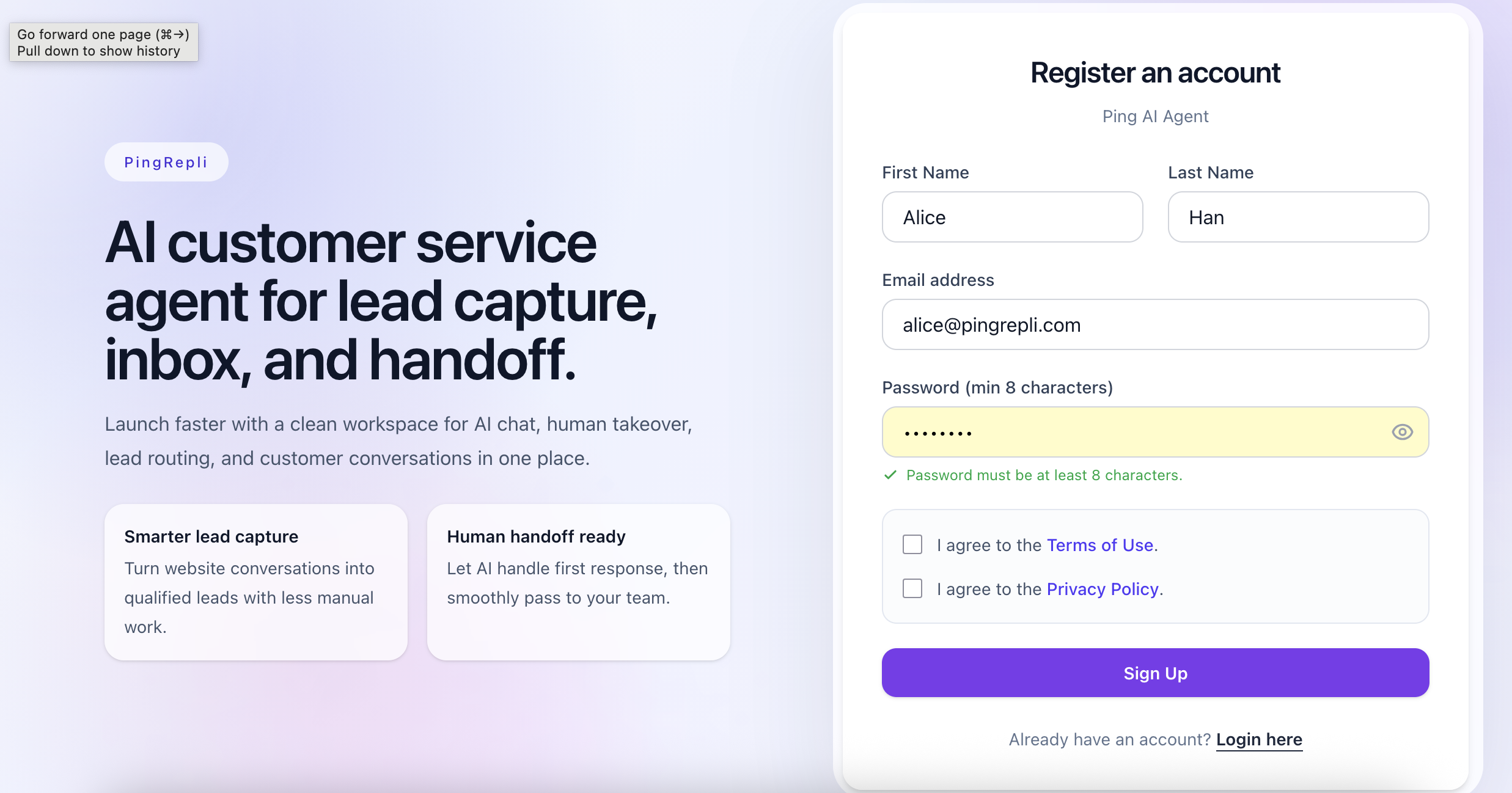
Registration form screen.
Registration is the first step to access PingRepli. This guide explains how to create your account, verify access, and get into the workspace successfully.
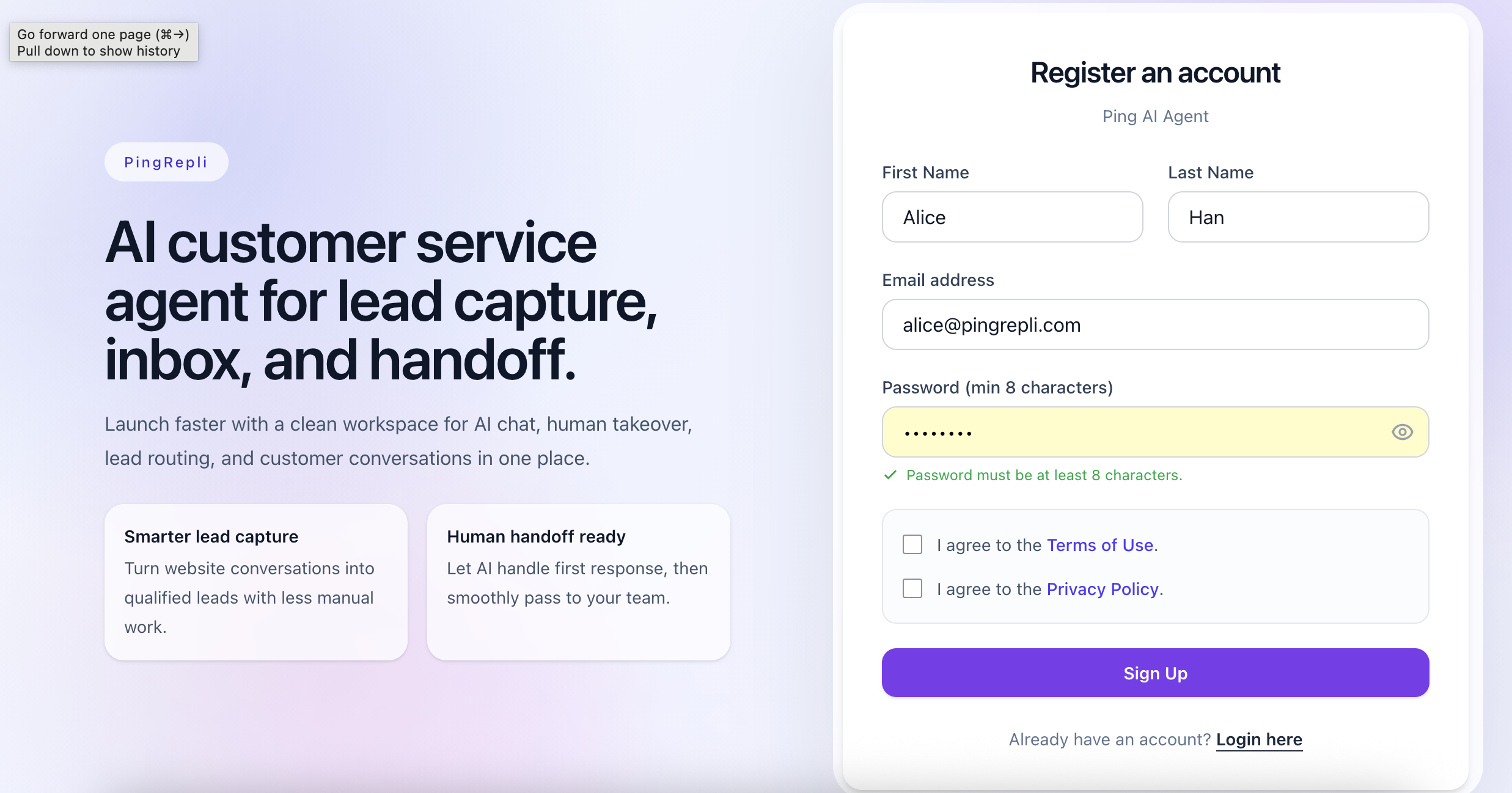
Hero image path: /help/registration/registration-overview-hero.png
Open the registration page and enter the required account details.
Make sure the email address is valid because it may be used for verification and future login recovery.
Registration form screen.
After registration, check for the verification step if your workspace requires email confirmation.
Complete verification before trying to access the main workspace so your account status is fully active.
Tip
If verification email does not appear immediately, check spam or retry from the pending verification flow.
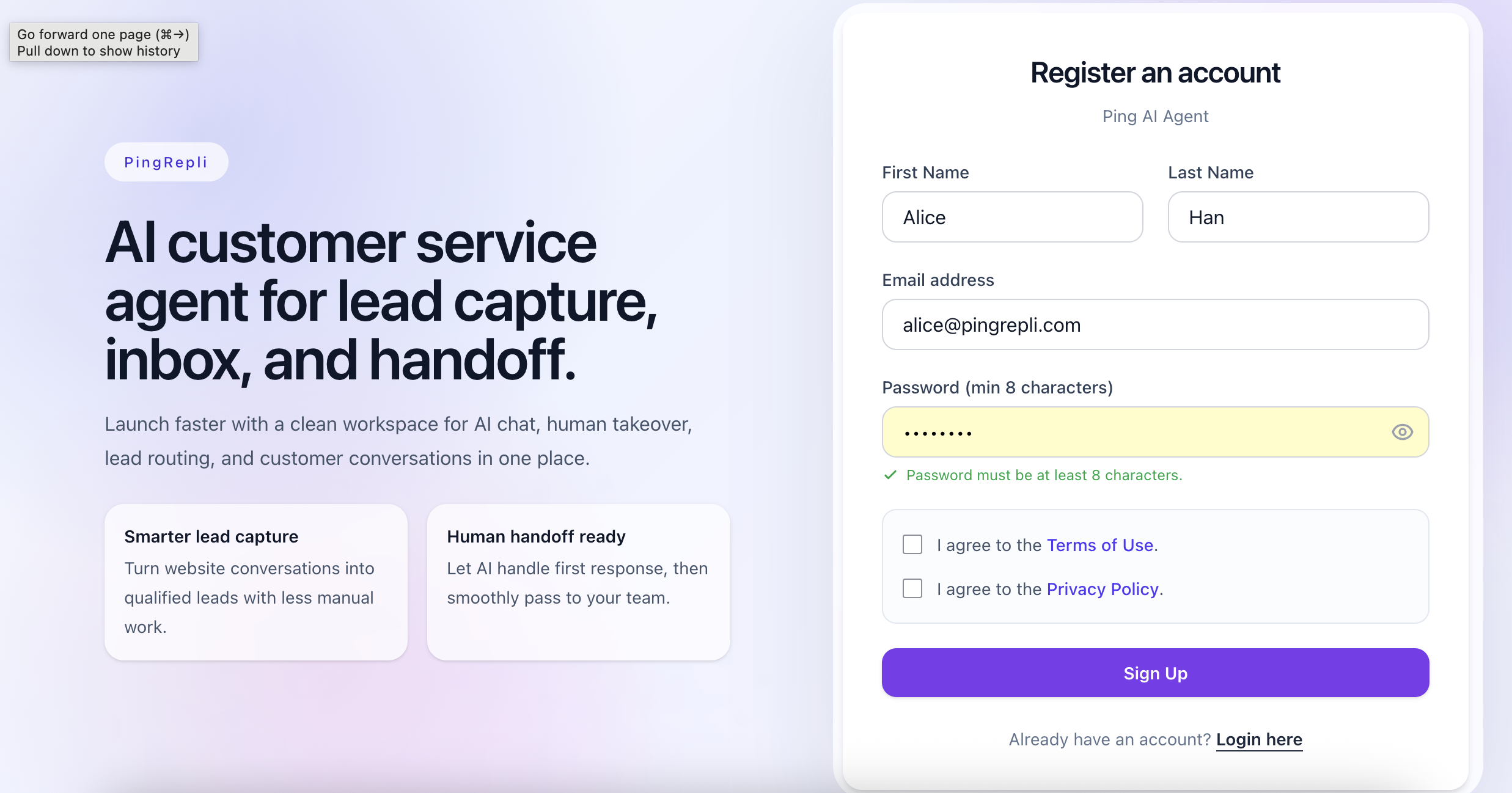
Verification or confirmation screen.
Once registration and verification are completed, sign in and continue with your first workspace setup.
From there, you can move on to Chatbot, Inbox, and the rest of the product modules.
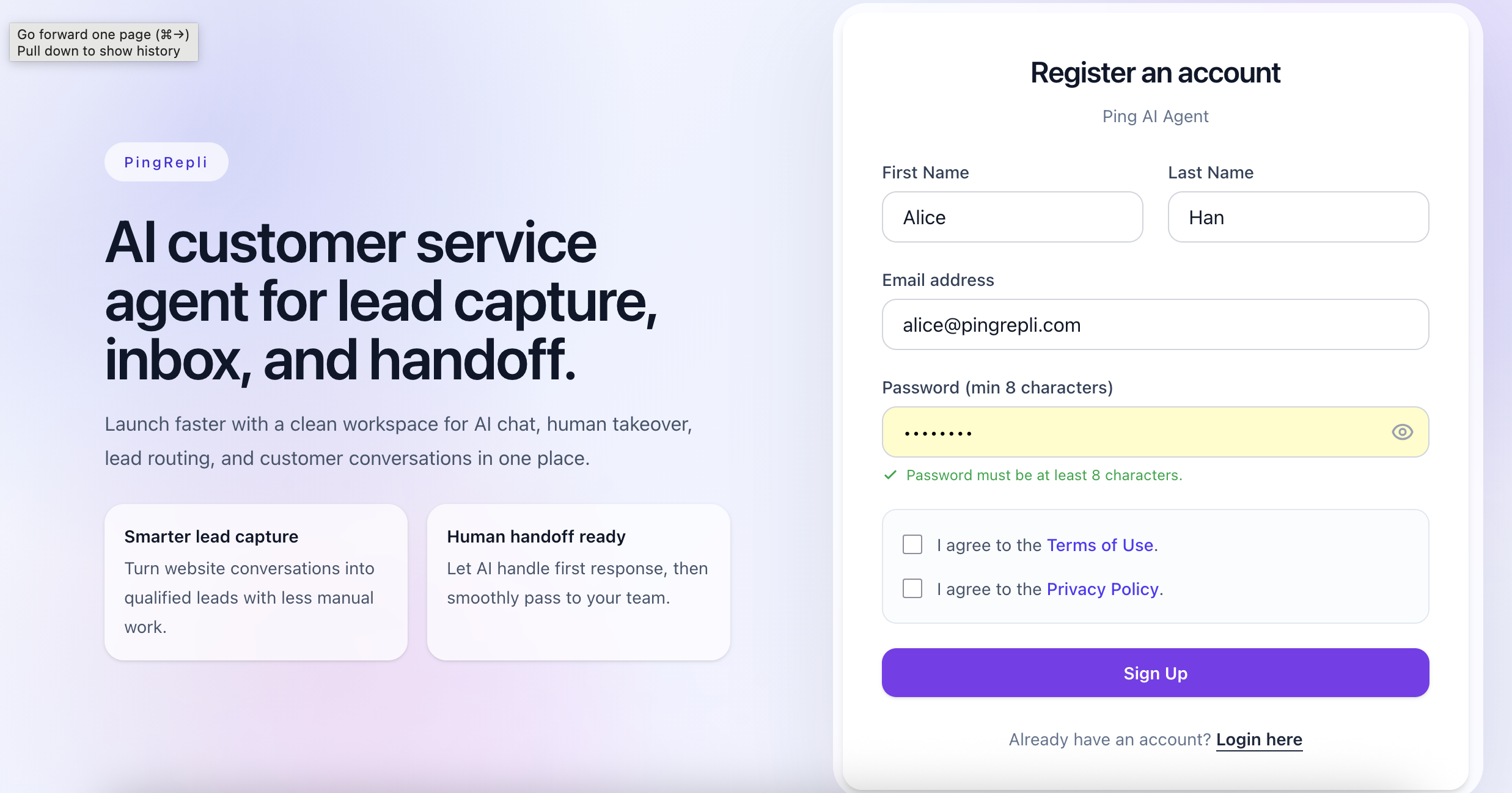
First successful login or workspace entry screen.